
Today when I tried to open advanced settings as usual, realized that the old ‘Settings’ menu has got a total revamp and replaced by an app named, ‘Power Platform Environment Settings’.
Power Platform Environment Settings app replaces the legacy, web client experience by providing a single, unified experience for application developers to create settings for their applications. It provides the same security, access control, and extensibility features as the existing, legacy experience and more. It seems it’s a WIP where some of the features like Processes still open the legacy UI, and there will be more rollouts which aim to completely revamp the old UI with modern UI.
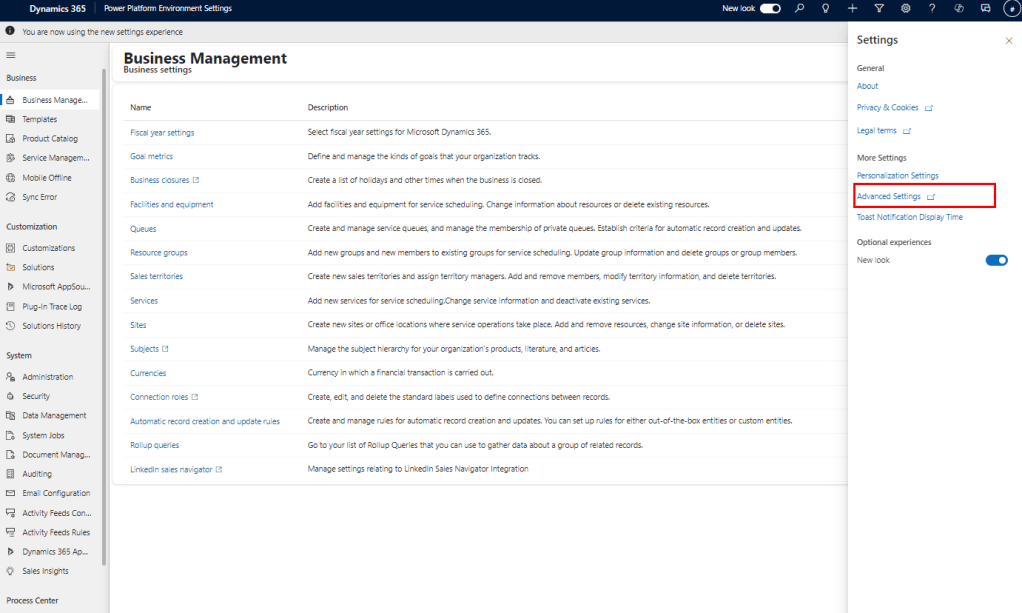
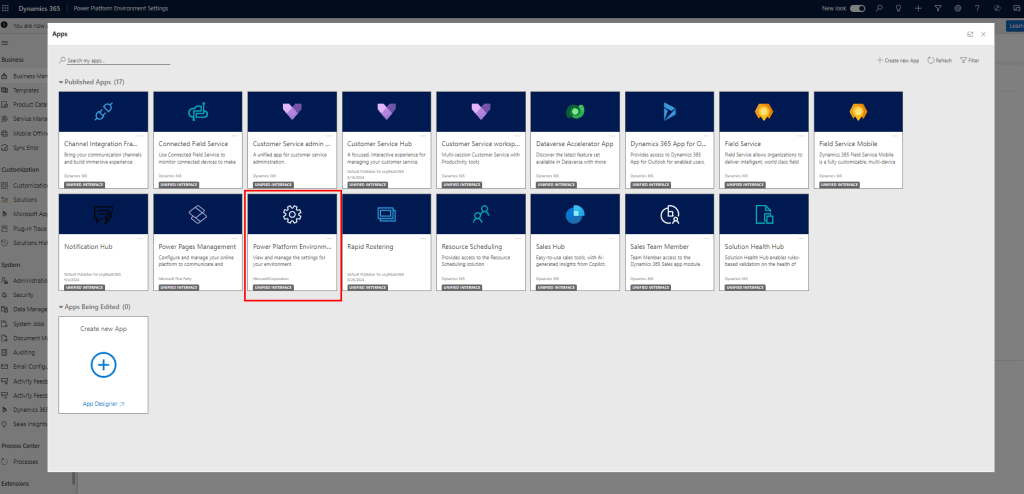
Note: Any existing extensions that have been created by customers to extend the settings site map will be preserved and any solution imports that include extensions to settings will be honoured and routed to the Power Platform Environment Settings app.
Release details:
- Enabled for Admins, makers, marketers, or analysts automatically
- Public preview: Sep 2024
- General Availability: Nov 2024
Key takeaways:
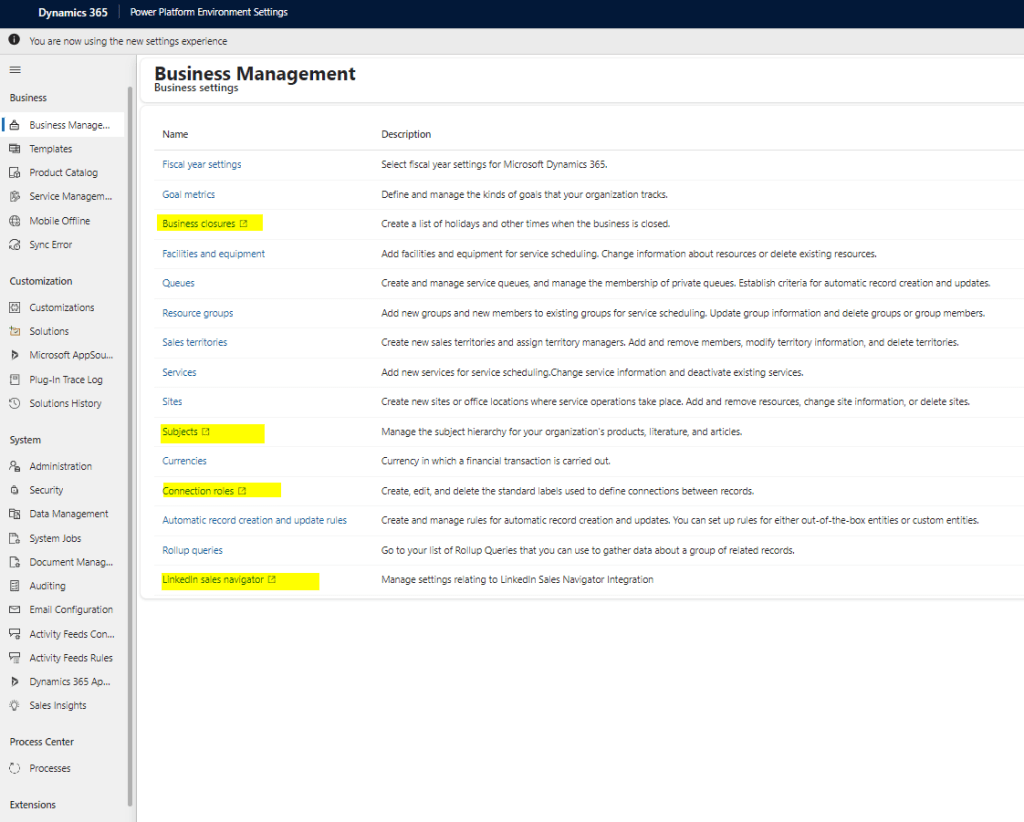
- Accessing features: Most of the features under the settings will either open in the same modern UI or redirect to the appropriate app in a new tab (with a box icon), however, still some open in the legacy UI itself. E.g. Processes.
E.g. Business Closures, Subjects opens, Case settings etc. take to the Customer Service Admin Center.

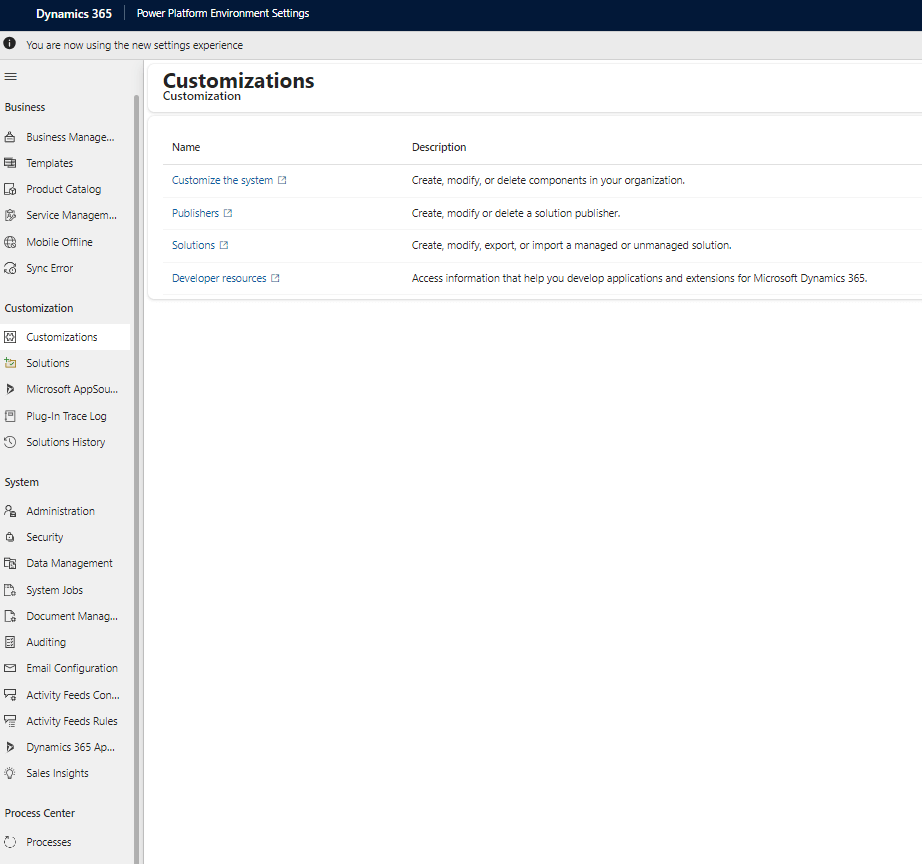
- Classic UI for customizations: All features under Customizations will open the make.powerapps.com enabling users to use the modern UI. However, classic UI is still accessible via ‘Switch to classic’ from Solutions, Form, Views etc. I believe those will be still accessible until all the features of the classic are available in the modern UI.

- Accessing Legacy Advanced Find: There is no option to access ‘legacy Advanced Find ‘ which makes sense from the security standpoint, however, the flexibility that the legacy Advanced Find provides is countless and we will miss it. If you are a huge fan of it and miss it, the good thing is that it still can be accessed from the Legacy features.


- Transition in stages: Some of the features are still open in the legacy UI itself. E.g. process

If you are still using legacy UI, it is time to adapt to the modern UI. Please let me know your thoughts, comments and feedback!
 Jeevarajan Kumar