
In the earlier post, we saw the standard process in Estimated Duration calculation for the manual work orders and the work orders generated from the Agreement.
At times, it gets complicated in scenarios when Field Service is integrated with a different legacy or Work Force Management system where the Estimated Duration of work orders that are generated by integrated Agreements is expected to have different values than the work orders that are generated by Agreements that aren’t integrated are expected to follow a standard calculation.
In this post, we’ll see how to set an Agreement to comply with an integrated system’s Estimated Duration and at the same time let non-integrated Agreements follow a standard process.
Option 1: Using different ‘Incident Type’ per business use case
The moment when we think about having different estimated duration per business use case, the first thing that comes to our mind is having different ‘Incident Types’. Creating different incident types as per the scenario and associating them with the Agreement Booking Incident will fix the issue. This is absolutely sufficient for simple business uses without too many deviations.
However, it gets complex when different products/services require different durations where there are 100s or more of them. To make things worse, each region or even each customer will have its own curated duration to perform a service. In this case, it is not efficient to create tonnes of Incident Types and main them since its a master record, not a transactional record.
Option 2: Using Est. duration fields in Agreement Booking Incident and Agreement Booking Setup
2.1 Via Agreement Booking Incident:
Change the estimated duration in the Agreement Booking Setup -> Agreement Booking Incident as required. A key thing to note here is that no changes are made in the Incident Type master record. Hence the work orders that are generated by agreements that don’t require deviation will have duration as defined in the Incident Type master record. At the same time, the agreements that require changes in duration will have these overwritten durations.
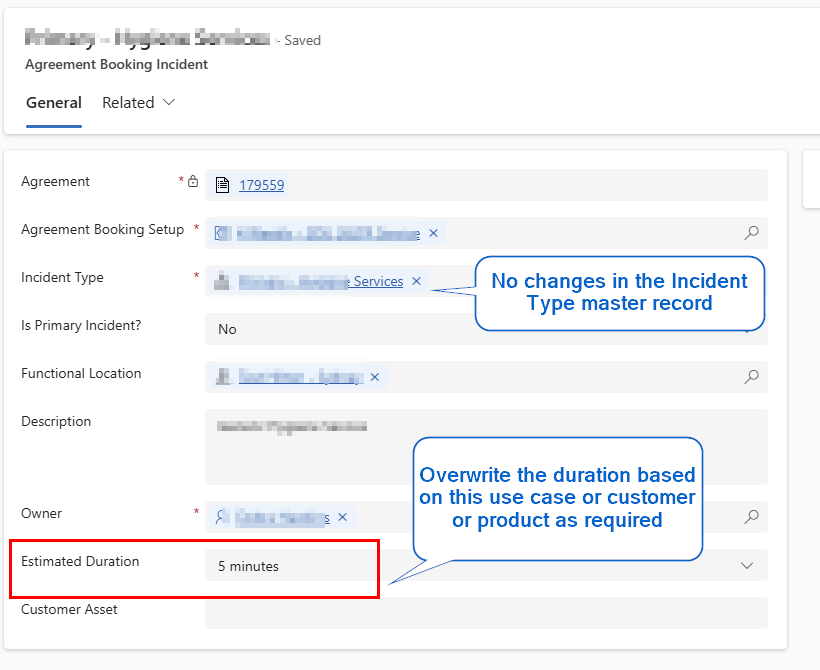
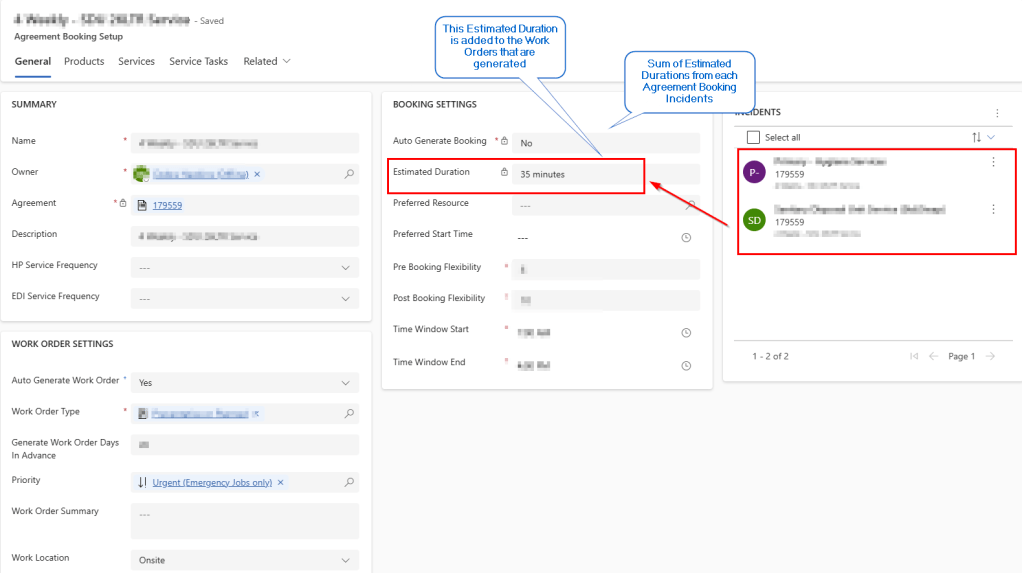
2.1 Via Agreement Booking Setup:
Booking Incident duration gets consolidated into the Agreement Booking Setup’s Estimated Duration which gets added to the Work Order. In addition to the consolidated Booking Incident’s duration, the Estimated duration of the Agreement Booking Setup can be manually changed as well if there are any fixed duration that needs to be adjusted.
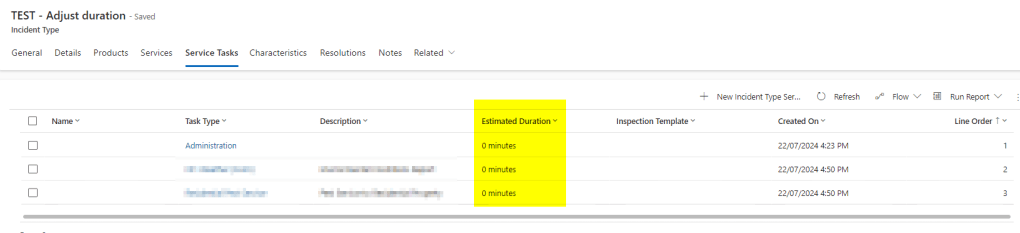
The key thing is to set all the Service Tasks’s duration in the Incident Type master to 0 so that the system considers the duration from the Agreement Booking Setup’s -> Estimated Duration and not from the sum of Service Tasks’s duration. To know about how it goes, check here.
Please don’t forget to like and share this post. Happy Learning!
 Jeevarajan Kumar
One thought on “D365 Field Service: Work Order Estimated Duration – a deep dive – part 2”