
Introduction
ACS can receive calls, but D365 Contact Center needs event notifications to route calls, track recording events, and handle SMS. That’s why we configure Event Grid webhooks and connect them to the endpoints provided by D365.
In this part (Part 2), we will create Event Grid subscriptions for Incoming call, Call recording, and SMS, and validate subscriptions are successful. This is a Part 2 of the series of Setup Voice Channel with Azure Communication Services (ACS), which is continuation of the Part 1.
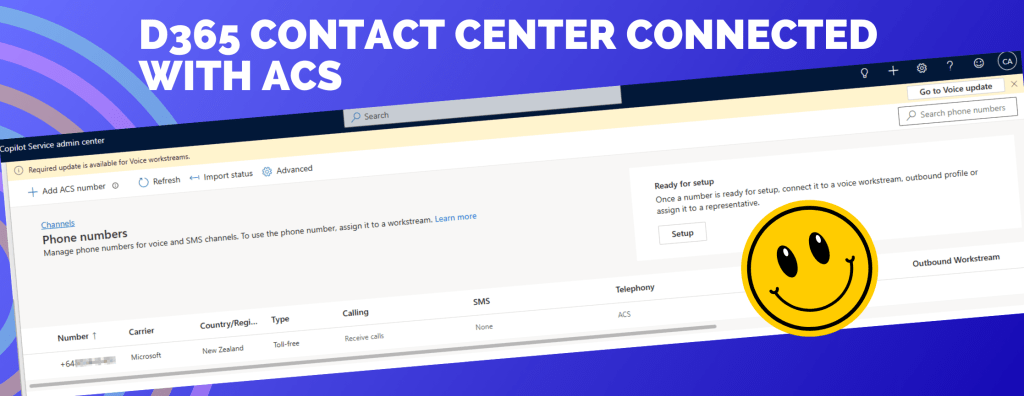
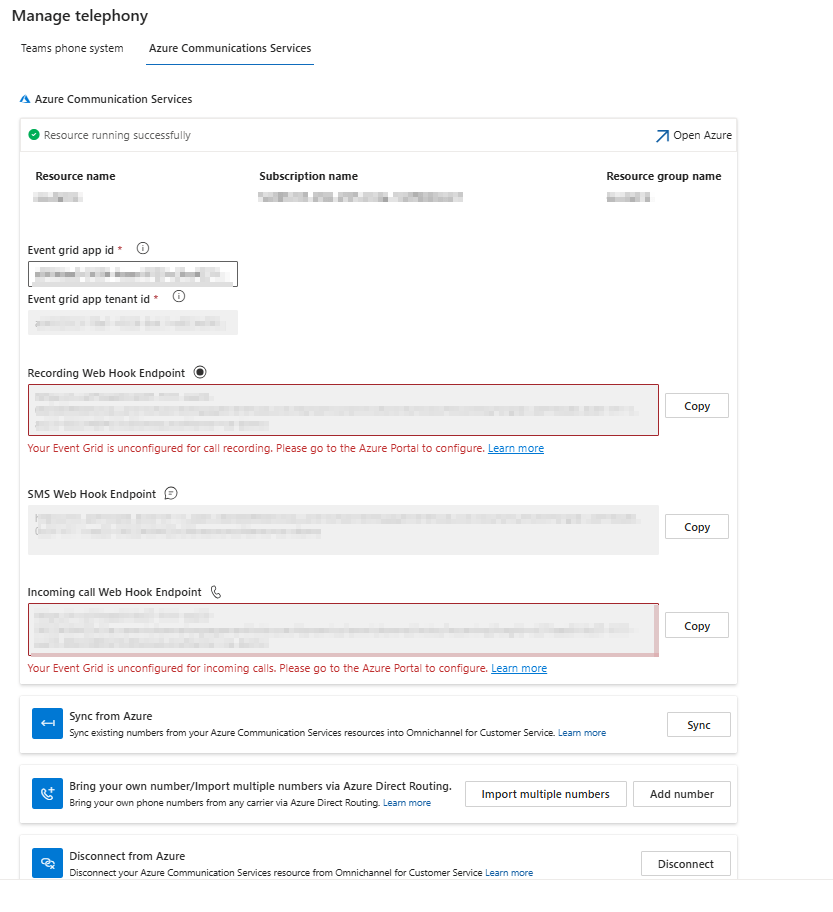
In Copilot service admin cetner, you will see the below errors which we are going to resolve, which enables call recording and SMS services in this blog posts. We will first configure your applications to listen to Azure Communication Services events by registering Event Grid System Topics. Then, subscribe to the specific incoming call, call recording, or SMS events by creating Event Grid subscriptions on the Azure portal. More details: https://learn.microsoft.com/en-us/dynamics365/customer-service/administer/voice-channel-configure-services
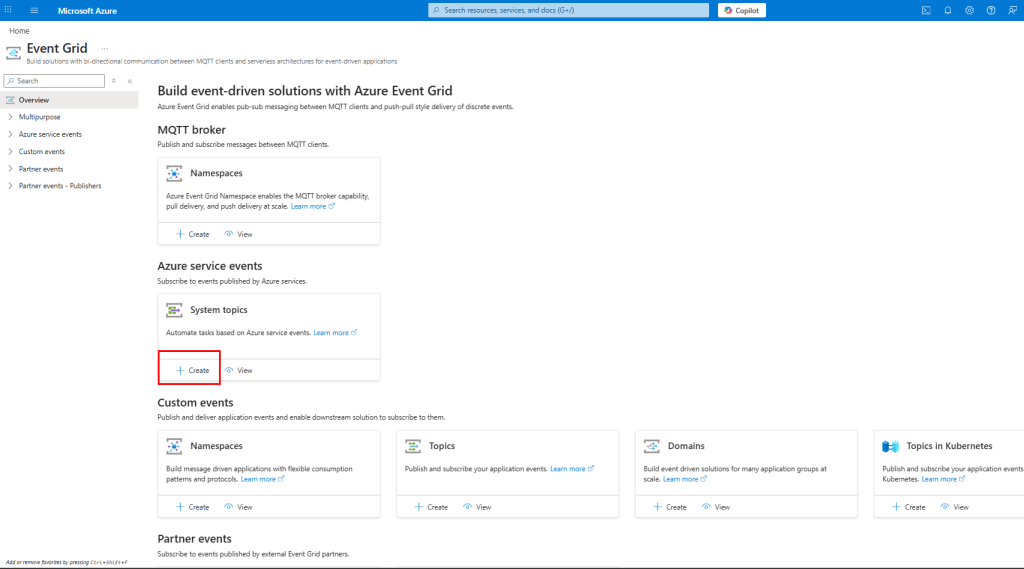
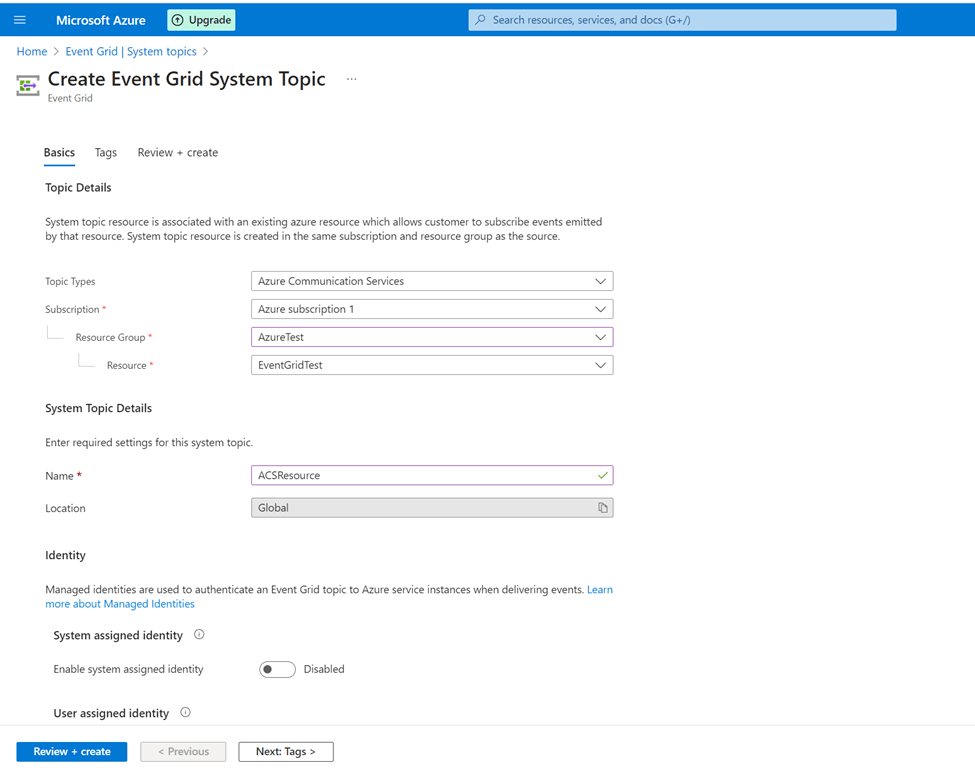
Create an Event Grid system topic
Setup 1: Incoming calls webhook
Under the ACS -> Events -> Select Web Hook
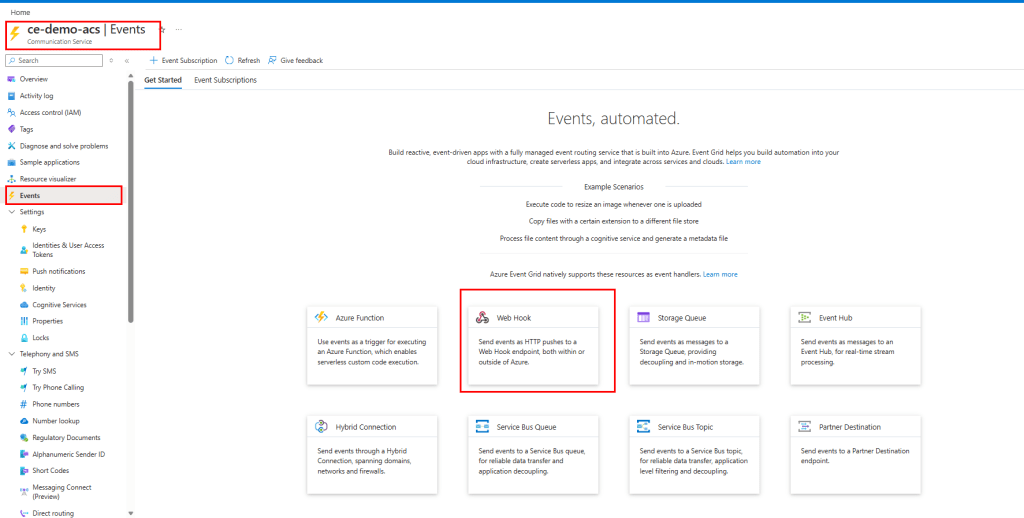
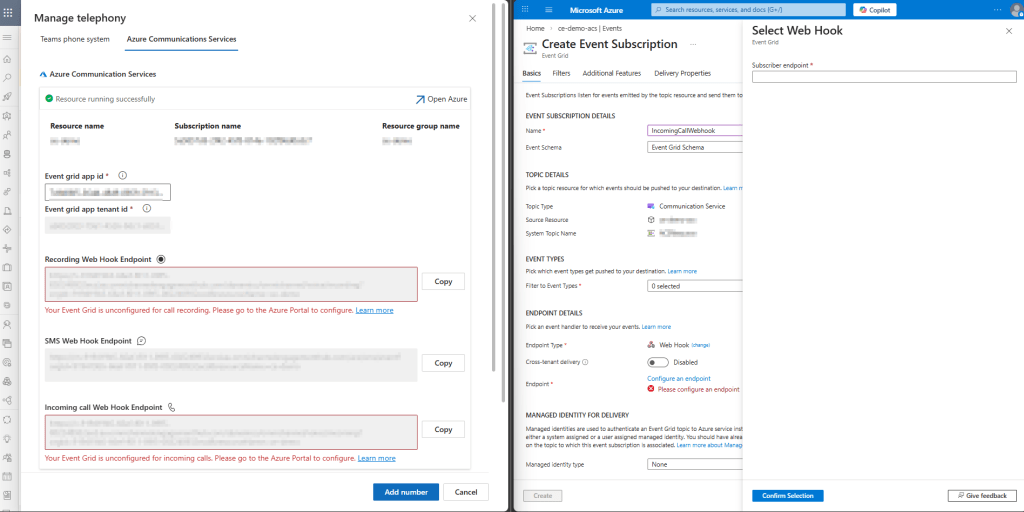
- Enter Name
- Choose Event Schema = Event Grid Schema
- Choose Event Types = Incoming Call
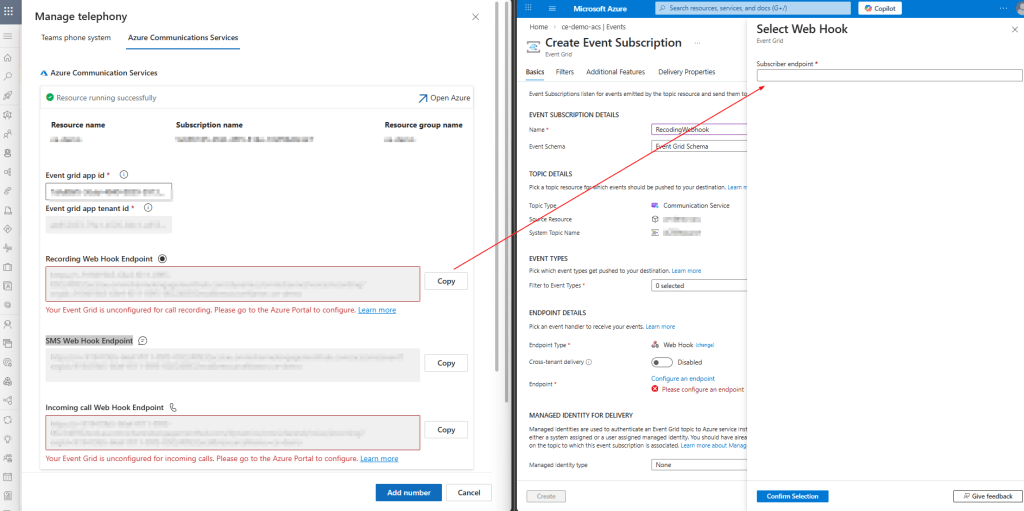
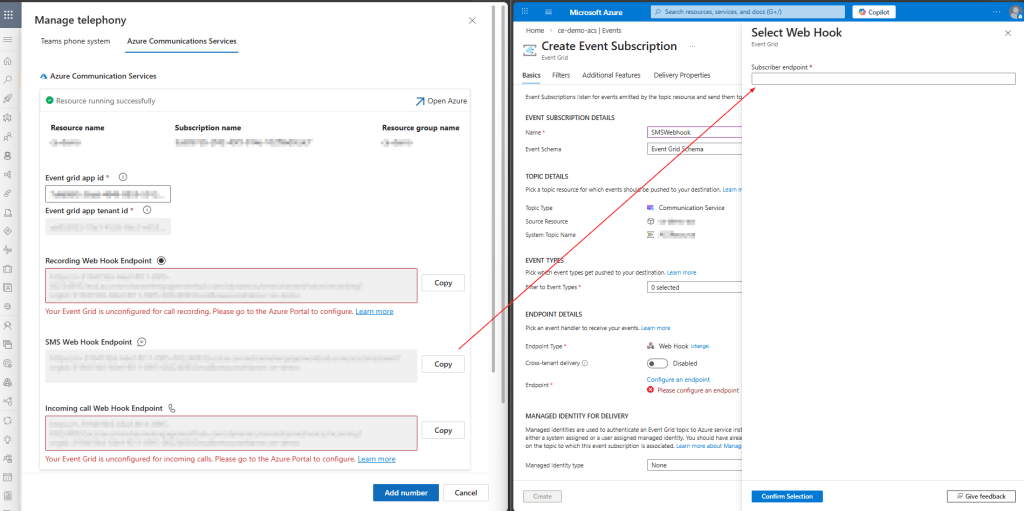
- In Endpoint details, click Configure Endpoint, copy it from Copilot service admin center as shown below

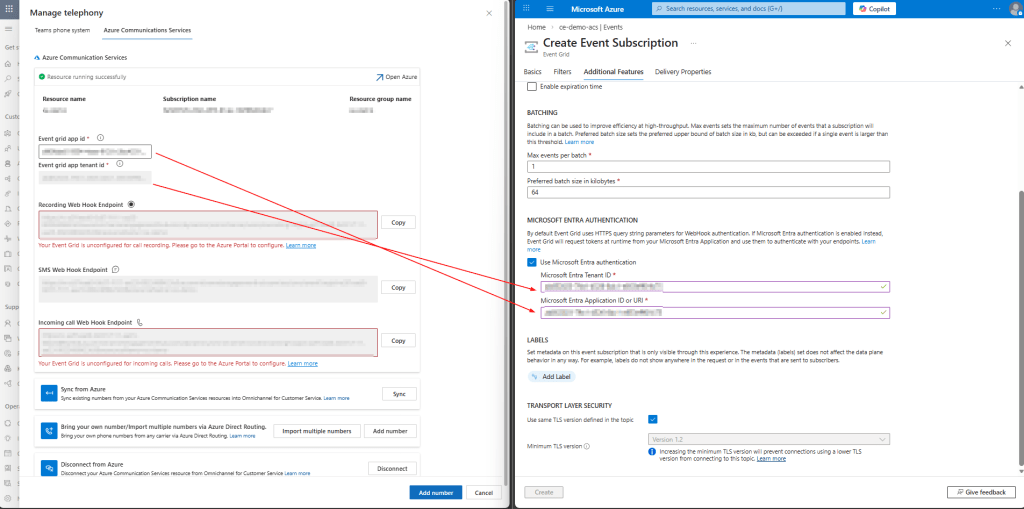
Go to Additional Features tab
Copy Microsoft Entra Tenant ID and Microsoft Entra Application ID from the Copilot Service admin center as shown below
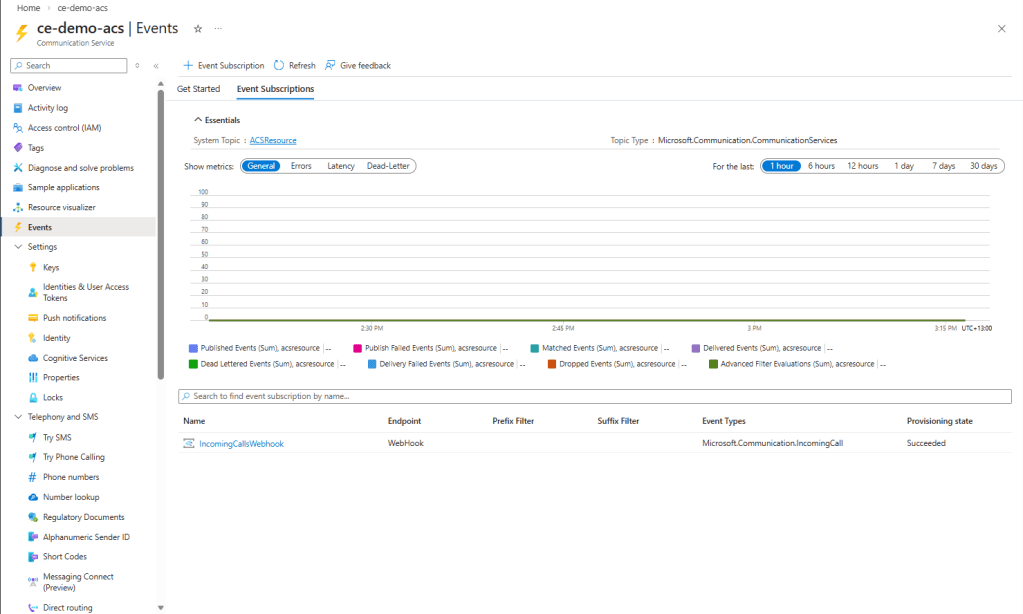
Setup 2: Call recording webhook
Repeat the above process to create another Webhook. Only change is the Endpoint configuration where the Recording Web Hook Endpoint from Copilot Service admin center is used as shown below
Setup 3: SMS webhook
Similar to the above, copy the SMS Web Hook Endpoint
Summary
Error in Copilot Service admin center is disappeared. D365 Contact Centre is linked to the existing ACS successfully now.
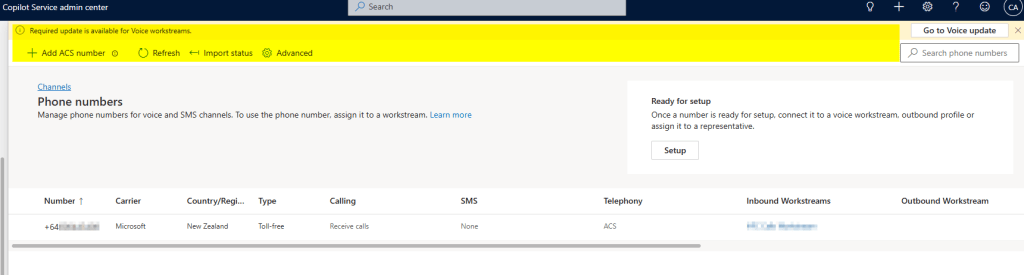
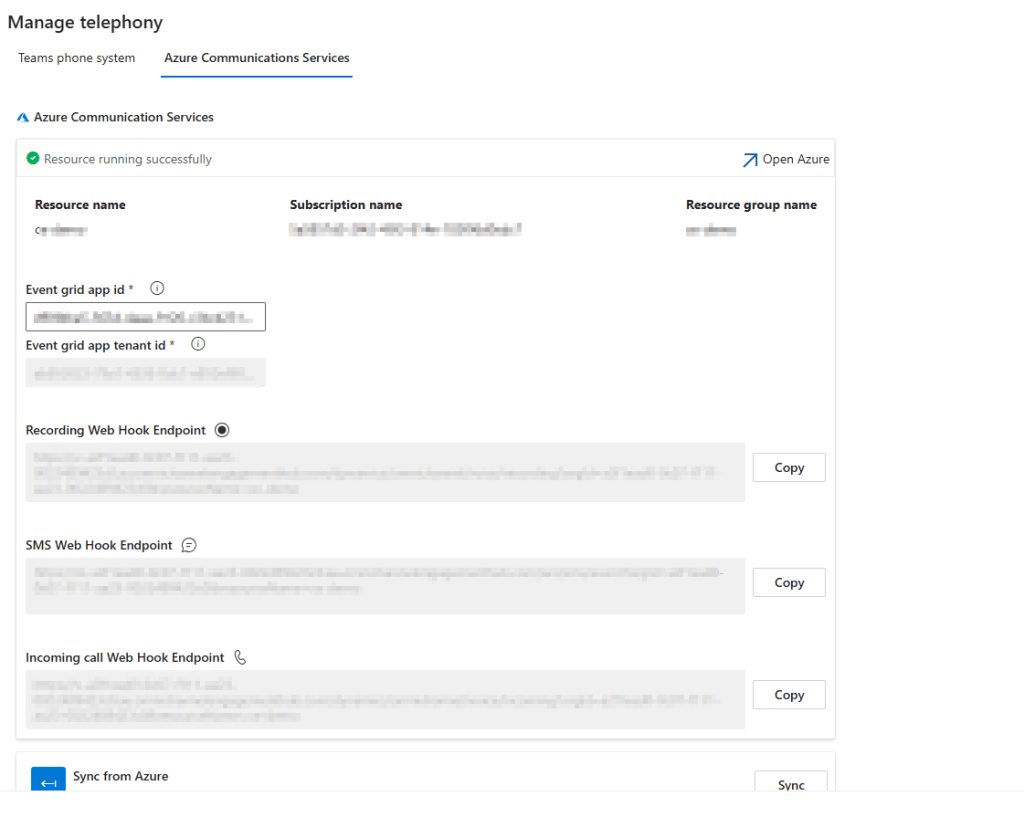
Now D365 Contact Center can receive incoming call / recording / SMS events from ACS via Event Grid.
Next step is assigning phone number to a Voice workstream and testing routing/IVR (or Part 3 if you want to bring telco number). To know more about workstream check here.
Happy Learning!
 Jeevarajan Kumar